Convert PDF to HTML
Convert your PDF files to HTML quickly and easily.
or drag and drop your files here
Maximum file size: 100 MB
Converting your document...
Please wait while we convert your file.

One platform for all your PDF tools
Convert your files into more than 40 formats with our reliable online PDF converter.
Edit and sign
Convert a PDF
Convert to PDF
Why choose ThePDF?
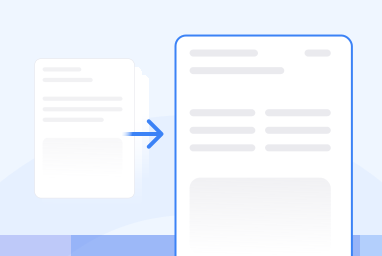
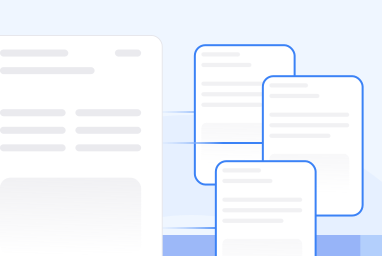
A complete, convenient PDF tool
Tired of juggling multiple tools? With ThePDF, everything happens in a single tab: easily convert, edit, protect, resize, split, and sign your PDFs.

Total security guaranteed
Our converter uses advanced encryption to protect your sensitive data at every step of the conversion process. Your privacy is our priority, backed by security that meets the strictest industry standards.
Zero configuration required
No app to install: convert your files from any device. Compatible with computers, tablets, smartphones, and all major operating systems (Windows, macOS, iOS, Android).
Simple and intuitive
No technical skills required. Upload or drag and drop your file onto the platform, choose the format, customize it as you like, and we'll take care of the rest. Fast, convenient, and extremely useful!
Instant conversion
Turn your scanned documents into digital files in just a few clicks. Get editable files in seconds and save valuable time!
Need help? Talk to our expert!
Our friendly team of experts is here to support you anytime. Contact us by email and get fast, effective advice. Here, speed and efficiency are our priority.
A complete PDF solution, designed to edit and organize your documents with ease.
Discover What Our Customers Are Saying
Why thepdf.co is a leader in PDF manipulation and conversion
Frequently Asked Questions
What is ThePDF?
ThePDF is an online service designed to make managing PDF documents easier. The platform offers a variety of tools for editing, converting, splitting, compressing, and merging your files. It also supports numerous formats, making conversions to and from PDF possible. These include widely used formats such as Word, Excel, JPG, and PNG, as well as more specific formats like DjVu or DWG. We regularly expand our feature catalog and optimize existing ones to better meet our users' expectations and incorporate their feedback.
Which operating systems is ThePDF compatible with?
ThePDF runs directly online in your browser, on any device, as long as it's connected to the internet. Unlike traditional software that requires installation, this web-based solution is compatible with a wide range of operating systems. You can open, manage, and edit your PDF files on macOS, Windows, and Linux, as well as on mobile platforms such as iOS and Android.
What features does ThePDF offer?
ThePDF is a solution accessible directly online, usable from any browser and on any type of internet-connected device. Unlike traditional software that requires installation, this web application is compatible with a wide variety of operating systems. Whether you're on macOS, Windows, Linux, iOS, or Android, a simple internet connection is all you need to manage, edit, and work with your PDF documents.
Which file formats are compatible with ThePDF?
Currently, our online PDF conversion tool supports a wide range of formats such as Word, JPG, PNG, Excel, EPUB, DOC, DOCX, HTML, TXT, PPTX, MOBI, SVG, CSV, AZW3, PPT, and many more. We are constantly working to expand this list to make working with PDFs simpler and more flexible. If there's a particular format you're interested in that isn't listed yet, feel free to send your suggestion to our support team, who will review it carefully.
Are my files secure when I use ThePDF?
Yes. The security of your files is a priority for us. All data sent to ThePDF is protected by SSL encryption to ensure the confidentiality of your documents. Files you upload or convert are automatically deleted from our servers after processing, and are never shared with third parties. Our infrastructure follows security best practices to ensure reliable, private, and secure use.